
Mobile
Keep Script Bible on your Home Screen. Here’s where to tap in Safari on iPhone.
Start in Safari
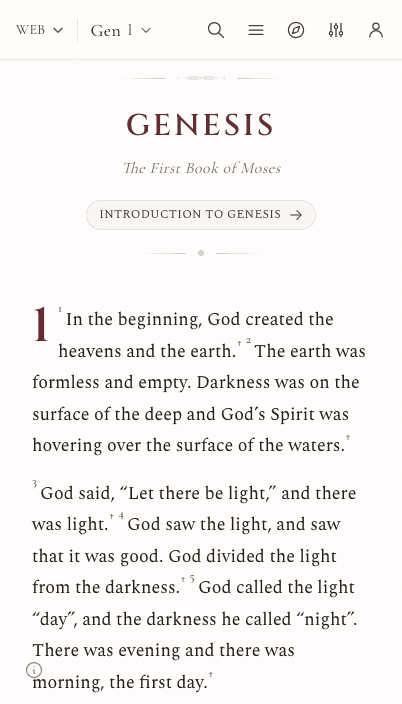
Open script.bible on your iPhone
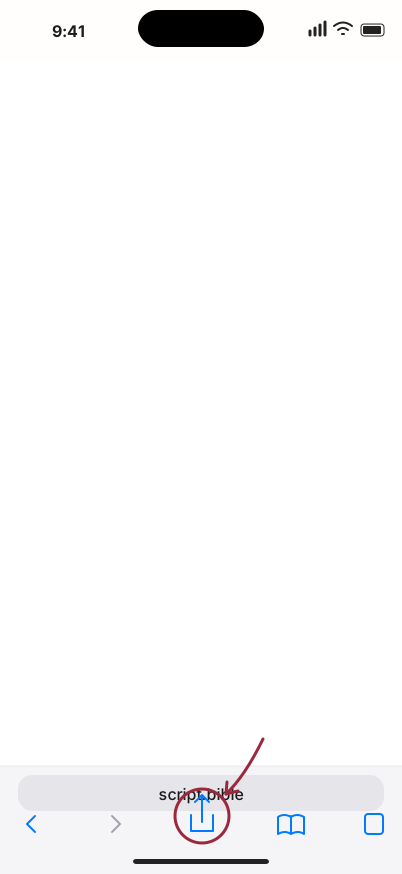
Tap Share
Look for the square with an arrow. If it’s hidden, open Safari’s Menu, then Share.
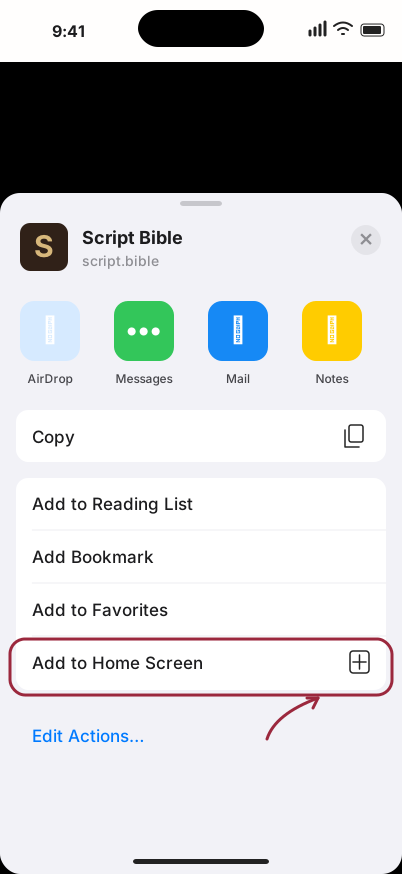
Add to Home Screen
Scroll down the share sheet and tap Add to Home Screen.
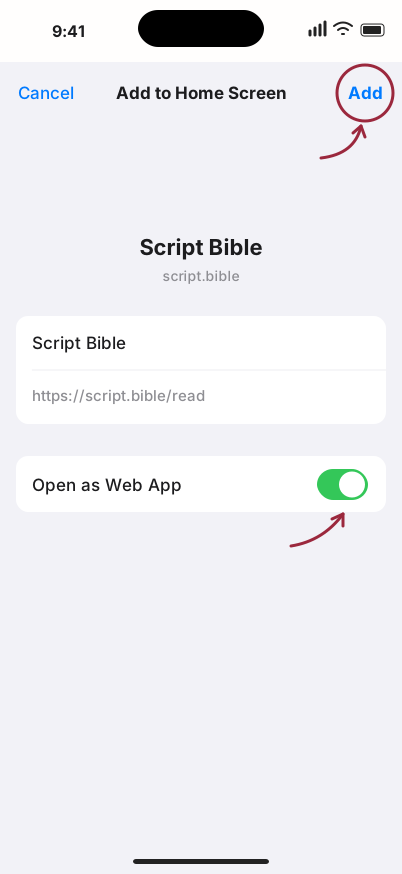
Tap Add
Keep Open as Web App on if shown, then tap Add.


Tap this icon to read next time.
Can’t find Add to Home Screen? Tap Edit Actions at the bottom of the share sheet to add it.
App screenshot with illustrated Safari controls. Your layout may look different. Apple’s Safari guide